How to Check a Used Android Phone Before Buying: 9 Checks That Matter
A 15-minute routine for checking IMEI, screen, battery, cameras, accounts and network on a second-hand Android phone before you pay, plus the red flags that should end the deal.
Article Content
A used phone can save a buyer in Bangladesh anywhere from a few thousand taka to nearly half the price of a new handset, and most of the units on shop shelves and in online listings are perfectly sound. The risk is not buying used; it is buying blind. A replaced screen, a tired battery or an account lock the seller forgot to remove can turn a good deal into an expensive lesson within weeks.
The checks below take about fifteen minutes and need nothing more than your own SIM card, a charger and a few built-in tools. Run them in order before money changes hands, and do not let a friendly seller rush you past any step.
1. Match the IMEI in three places
Open the dialer and type *#06#. The handset will show one or two IMEI numbers, depending on how many SIM slots it has. Compare every number with the sticker on the retail box and with the value shown in Settings, About phone. All three must be identical.
Then confirm the handset is registered for use on local networks through BTRC's IMEI verification line by dialing *16161#. A mismatch between the phone and the box, or a registration problem, is reason enough to hand the phone back.
2. Look for signs of a screen replacement
A new panel is not automatically bad, but it should be reflected in the price, and low-quality replacements often fail within months. Run a finger along the seam between the glass and the frame; a factory screen sits flush, while a replaced one may be slightly raised or show glue. Check that the front camera sits perfectly centered in its cutout.
Next, open a blank white image full screen, then a red, a green and a blue one. Any dark spot, bright patch or colored line is a dead or stuck pixel. Finally, open a drawing app and drag your finger slowly across the whole display, including the corners. Missed strokes mean the touch layer is failing.
3. Test the battery honestly
Newer Android builds expose battery health in Settings, Battery, sometimes under Battery information. On Samsung phones the same data appears in the Samsung Members app under Diagnostics. Where the phone reports a health percentage, anything below roughly 80 percent means the battery has already lived most of its useful life.
If no health figure is available, do a short drain test. Note the charge level, play a ten-minute video at half brightness and check again. A small, steady drop is normal. A sudden plunge of many percentage points, or a phone that becomes noticeably warm during those ten minutes, points to a worn cell.
4. Inspect the body and the water damage markers
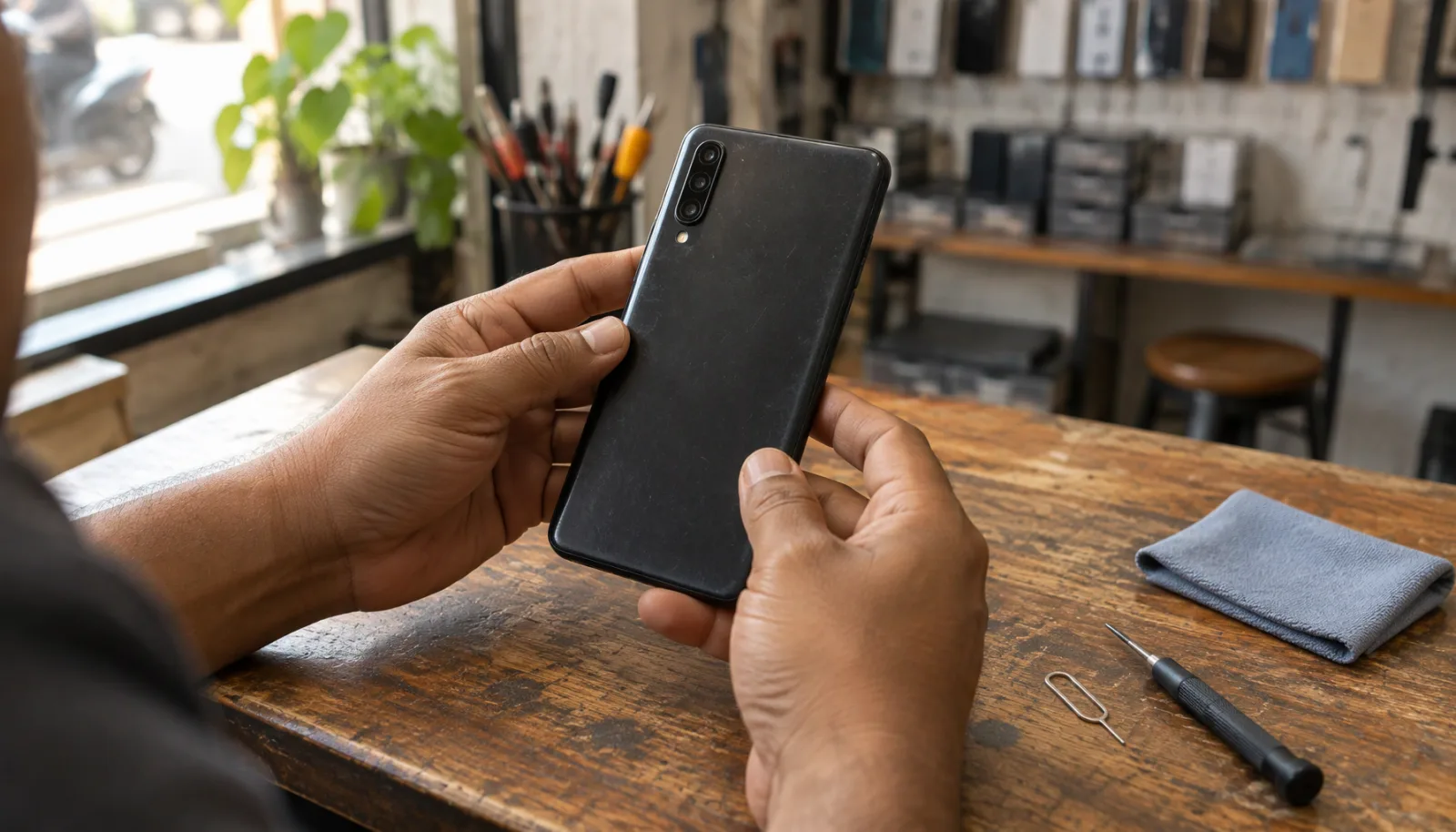
Pull out the SIM tray and look inside the slot with a torch. Corrosion, green residue or a damp smell are strong signs of liquid damage. Examine the corners of the frame for dents, because a hard drop often cracks the display from the inside even when the glass looks intact. Press gently around the back panel; creaks or a visible gap suggest the phone has been opened.
Look closely at the camera glass for scratches or hairline cracks. They are cheap to ignore now and expensive to repair later.
5. Check every camera and microphone
Take a photo with each rear lens and the front camera, then record a short video while speaking. Watch the footage back with the volume up: the picture should be sharp across the frame, with no blur on one side and no crackle in the sound. Fire the flash and confirm it is bright white, not yellow or flickering, and tap the screen to make sure autofocus locks quickly.
Dust or fog inside a lens usually cannot be cleaned without opening the phone, so treat it as a defect.
6. Work through the ports, buttons and sensors
Plug in a charger and confirm the phone reports charging at a sensible speed. Move the cable gently while it is connected; a loose port that loses contact will only get worse. Press every button, listen to the loudspeaker at full volume and make a call to test the earpiece. Record a voice note to check the microphone.
Then test the sensors that people forget: cover the top of the screen during a call to see whether it turns off, rotate the phone to check auto-rotate, and enroll your own fingerprint and face. If any of these fail, the phone has a fault you will live with every day.
7. Clear the software and account locks
This is where most second-hand purchases go wrong. Ask the seller to sign out of every account in front of you: Google, Samsung, Xiaomi or whichever brand is involved. A phone that still carries the previous owner's account can lock itself after a reset, and no repair shop can bypass that legally.
Open Settings, Accounts and confirm the list is empty. Then perform a factory reset together and go through the setup screen; if it asks for the previous owner's credentials, stop. On Samsung phones, also check the Knox warranty bit in About phone, Status. A tripped Knox bit (0x1) means the phone was rooted or modified, and some banking apps will refuse to run on it.
While you are in Settings, note the Android version and the security patch date. A phone that has not received an update in more than a year will keep its current features but lose protection against newer threats.
8. Test the network with your own SIM
Insert your SIM and make a call, then open a web page over mobile data. If the listing promises 5G, confirm that the phone actually shows a 5G indicator in an area with coverage. Test WiFi, Bluetooth with a pair of earbuds and GPS by opening a map and waiting for your location to settle. For dual-SIM models, check that both slots read a card.
9. Check the paperwork and the price
Ask for the box, the purchase receipt and the warranty card. The IMEI printed on the receipt should match the phone. Warranty terms differ by brand and by whether the handset was bought locally or imported, so read them rather than assume.
Finally, compare the asking price with the current market rate for that exact variant. Storage and RAM change the price significantly, so a 128GB model should not be compared with a 256GB one. Our phone comparison tool lists full specifications for both variants side by side, which makes it easier to judge whether a deal is genuine.
Quick reference
| Check | Fast test | Walk away if |
|---|---|---|
| IMEI | *#06#, box sticker and About phone | Numbers do not match, or BTRC lookup fails |
| Screen | White, red, green and blue full-screen images | Dead pixels, bright patches or missed touches |
| Battery | Battery health screen or a ten-minute video test | Health below 80 percent, or a sudden drop |
| Body | SIM slot, corners and back panel under a torch | Corrosion, dents or a creaking frame |
| Cameras | One photo per lens plus a video with sound | Blur, dust inside a lens or a dead flash |
| Ports and sensors | Charging, buttons, speaker, fingerprint | A loose port or any sensor that will not respond |
| Accounts | Settings, Accounts, then a factory reset | The phone asks for someone else's login |
| Network | Your own SIM for calls, data and GPS | No signal where other phones work |
| Paperwork | Box, receipt and warranty card | IMEI on the receipt does not match the phone |
Red flags that end the conversation
- The seller will not let you run the IMEI check or a factory reset in front of them.
- The price is far below every other listing for the same model and storage.
- The phone still shows the previous owner's account, with a promise to remove it later.
- The battery percentage jumps erratically, or the phone heats up during a short video.
- The IMEI on the box, the receipt and the phone do not agree.
None of these checks requires special knowledge, and together they cover the faults that are expensive or impossible to fix. Bring your own SIM, charger and a small torch, take your time, and pay only after every step passes. A seller who understands phones will not object to any of it.