Phone & Laptop Overheating: 12 Cooling Habits for Bangladesh
Heat is the biggest silent killer of phone batteries and laptop performance in Bangladesh. Twelve habits, split between phones and laptops, that keep temperatures down in 35°C summers, humid monsoon air and load-shedding.
Article Content
A phone that gets hot while charging and a laptop that sounds like a hairdryer during a video call are usually described as separate problems. They are the same problem: heat, and the habits that create it. In Bangladesh the local conditions make both worse, and the fixes for phones and laptops overlap more than most people expect.
Below are twelve habits, six for phones and six for laptops, that reduce heat without buying anything. They apply to budget phones and flagships, and to BDT 50,000 laptops and BDT 300,000 ones alike.
Why heat hits harder in Bangladesh
Three local factors matter. First, ambient temperature: in April to June, indoor rooms routinely sit at 32-36°C, which leaves a phone or laptop very little headroom before it throttles. Second, humidity: monsoon air reduces how effectively fans and vents cool parts, and encourages dust to clump inside heatsinks. Third, power quality: voltage fluctuations and load-shedding push chargers and adapters harder, and cheap chargers run hotter when input voltage sags.
1. Take the case off while fast charging
Thick cases trap the heat that fast charging generates in the battery. If your phone gets noticeably warm during a charge, remove the case and charge on a hard, open surface. Even ten minutes without the case makes a measurable difference on phones with 33W and faster charging.
2. Never charge under a pillow, blanket or on a bed
Charging on soft surfaces blocks the heat path and is one of the most common causes of accelerated battery wear. Charge on a table or desk, screen down if the phone supports it, with nothing covering the back.
3. Keep the phone out of direct sun and off the dashboard
Direct sunlight can push a phone's surface past 45°C within minutes. At that point the phone throttles charging, dims the screen and, over time, permanently loses battery capacity. In a car, use a vent mount rather than a windscreen mount in summer, and never leave the phone on a dashboard.
4. Drop the refresh rate during long gaming or navigation sessions
A 120Hz or 144Hz display generates more heat than a 60Hz one. When you are navigating for an hour or gaming on a phone that is already warm, switching the display to 60Hz or auto mode cuts heat and stretches battery life. It is the single easiest setting change on a hot day.
5. Do not charge and play demanding games at the same time
Charging generates heat in the battery while the chipset generates heat under the screen, and the two stack. If you must play while plugged in, use a slower charger or enable a charge limit if your phone has one, so the battery is not being filled at full speed during gameplay.
6. Protect chargers during load-shedding and voltage swings
When mains voltage drops or spikes during load-shedding transitions, cheap chargers compensate by drawing more current and run much hotter. Use a reputable charger with proper voltage handling, connect sensitive devices through a surge protector, and unplug chargers during generator changeovers. A BDT 1,500 surge protector is cheaper than a dead phone or laptop adapter.
7. Give laptop vents at least 10cm of clearance
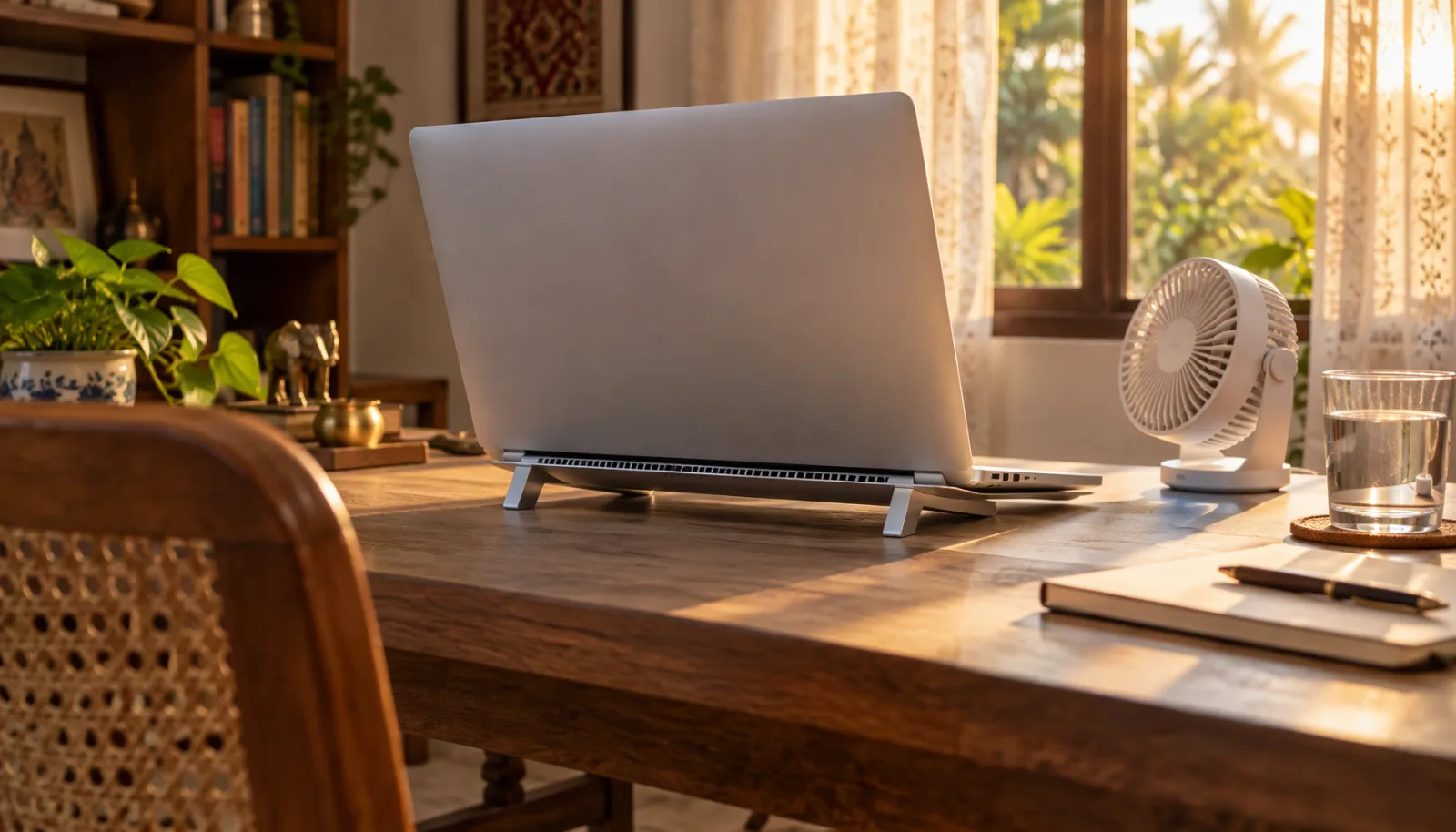
Most laptops pull air in from the bottom and push it out the back or side. Using one on a bed, sofa or cushion blocks the intake and turns the fan into a heater. Use a hard surface, and if you work in bed, put the laptop on a tray or a cheap laptop stand.
8. Clean the fan and vents every 6-12 months
Dust is the most common cause of overheating in laptops that are one to three years old. In Bangladesh, where dust and pollution levels are high, a laptop can clog within a year. Blow out the vents with compressed air from the outside every few months, and have the fan and heatsink cleaned properly once a year.
9. Use Balanced mode and a laptop stand for long sessions
Windows power modes that prioritise performance keep the CPU boosting for short bursts and generate more heat. For browsing, documents and video calls, Balanced or Best power efficiency keeps temperatures and fan noise down with almost no noticeable speed loss. A stand that raises the back of the laptop improves airflow and can drop temperatures by several degrees.
10. Avoid charging and gaming at full speed together
A gaming laptop plugged in and running a heavy game is working at its thermal limit by design. On hot days, cap the frame rate, use a cooling pad, and enable the battery charge limit if the laptop has one so the battery is not being fast-charged while the GPU heats the chassis. Never game with the laptop on a bed or blanket.
11. Keep the laptop out of direct sun and away from walls
A laptop pushed against a wall or curtain recycles its own hot exhaust air. Leave 10-15cm behind the exhaust, keep the machine out of direct sunlight, and avoid running heavy tasks on a table next to a window in the afternoon.
12. Watch the temperatures and act at 90°C
Install a free monitor such as HWiNFO or Core Temp. If the CPU is sitting in the high 90s during normal work, the laptop needs cleaning, better airflow or a repaste. Thermal paste dries out after two to three years of hot-room use, and fresh paste can drop temperatures by 5-10°C on an older machine.
Quick reference
| Device | Most effective habit | Second most effective |
|---|---|---|
| Phone | Charge without the case on a hard surface | Drop to 60Hz when hot |
| Laptop | Clean the fan and vents yearly | Keep vents clear, use Balanced mode |
| Both | Keep out of direct sun | Protect chargers from voltage swings |
For more device-specific advice, see our phone tips and tricks and laptop tips and tricks sections. If you are shopping for a phone that handles heat well, our TCL K70 5G page covers a budget model built around battery longevity, and our laptop price list covers models officially sold in Bangladesh with local warranty.