6,000 mAh Battery Dies by Evening? 12 Settings That Actually Fix It
A big battery does not guarantee a long day. These twelve changes cut the real power hogs on a 6,000 mAh Android phone — refresh rate, weak signal, background apps, hotspot and charging habits — using the Walton ZENX Z4 as the example.
Article Content
A 6,000 mAh battery looks like a guarantee of two days of use, and then the phone still asks for the charger before dinner. This is not a defect and it is not always a "bad battery". Capacity only describes how much energy the phone can store. How long it lasts is decided by how fast that energy is used, and on modern Android phones the biggest drains are a handful of settings most people never open.
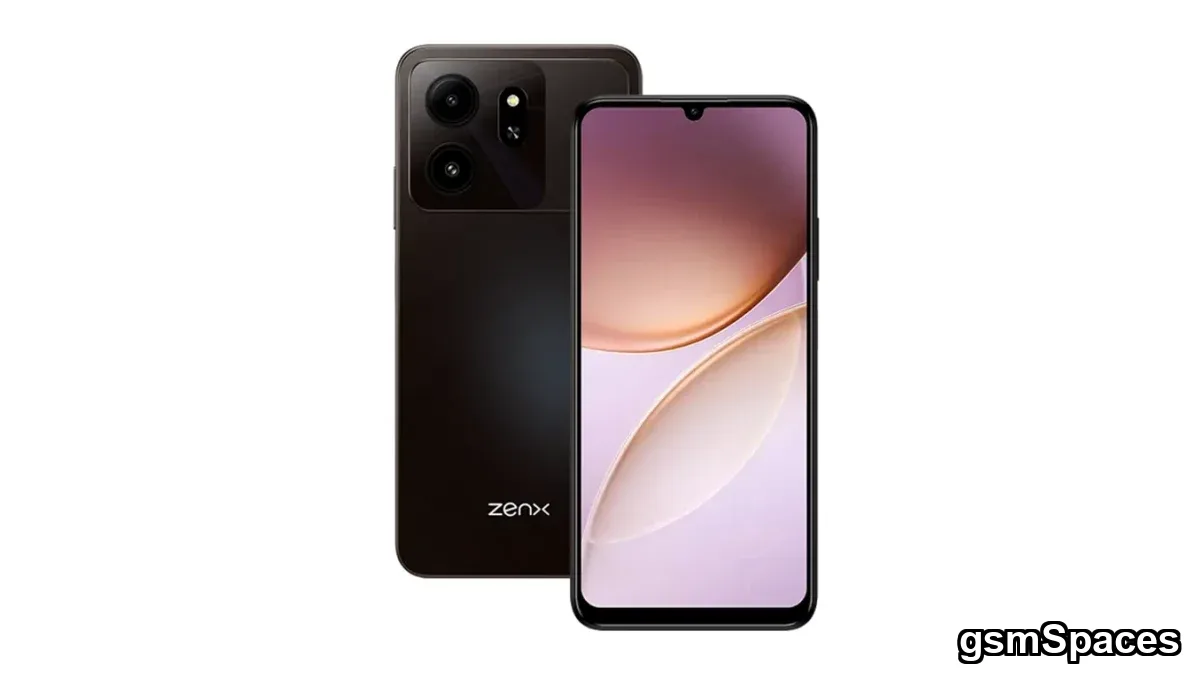
The example used throughout this guide is the Walton ZENX Z4, a budget phone with a 6.8-inch 120 Hz IPS display, a Unisoc T7250 chipset, 4 GB of RAM and 18 W charging. Everything below applies to any Android phone with a large LCD screen and a 5,000–6,000 mAh cell, including Samsung, Xiaomi, Redmi, Realme, vivo, Oppo and Infinix models sold in Bangladesh. No root access, no paid app and no obscure menu is needed.
1. mAh measures the tank, not the mileage
Battery capacity is written in milliamp-hours, but what the phone actually uses is watt-hours. A 6,000 mAh cell at the usual 3.85 V nominal voltage holds roughly 23 watt-hours of energy. A large, bright screen can pull 1.5 to 2.5 W on its own, and a 4G modem under weak signal can draw more than a watt in short bursts. Add Wi-Fi, the processor and constant notifications and the total easily passes 3 W. That is why two phones with identical 6,000 mAh batteries can differ by three or four hours of screen time: the bigger screen, the higher refresh rate and the weaker signal are what you are really paying for.
2. 120 Hz refresh rate is a real cost on an LCD
On a 120 Hz screen the phone draws 120 frames every second instead of 60, and the display panel is built to keep up. On OLED phones the panel can drop to very low refresh rates when nothing is moving, which saves power. A standard IPS LCD panel cannot do that in the same way, so 120 Hz on an LCD usually means close to double the display refresh work for the whole time the screen is on.
Go to Settings, then Display, then Refresh rate, and switch to 60 Hz for a few days. The difference in smoothness is noticeable, but so is the difference in battery. If your phone offers an adaptive or auto mode, use it. Keep 120 Hz for gaming sessions rather than all-day scrolling.
3. Brightness and screen-on time beat everything else
Every hour of screen-on time is an hour of the display running, and brightness multiplies that cost. Leaving auto-brightness on is better than manually pushing the slider to maximum, because the sensor will bring it down indoors. In direct sunlight the phone will still ramp up, so avoid watching video outdoors at full brightness for long stretches.
One common myth is that dark mode saves a lot of power. On phones with an LCD screen, such as the ZENX Z4, the backlight stays on regardless of what colour the pixels show, so dark mode saves only a small amount. On OLED phones dark mode genuinely helps. It is still a good habit for eye comfort, but do not expect it to add hours on an LCD phone.
4. Weak network signal is the silent drain
When the signal drops, the modem raises its transmit power to keep the connection alive. Inside a lift, a basement, a tin-roof factory or the edge of a village, the phone can spend hours at high transmit power while the screen is off. The phone also becomes warm in the upper half, which is the tell-tale sign.
If you sit in a place with practically no coverage for hours, switch to airplane mode and use Wi-Fi instead. If your operator supports Wi-Fi calling (VoWiFi), enable it so calls arrive over Wi-Fi instead of a weak cellular link. And when you are on the move in an area with patchy 4G, manually selecting a stable network in the settings can sometimes be calmer than letting the phone hunt between bands.

5. Background apps and notifications wake the phone all night
Open Settings, then Battery, then Battery usage (names differ slightly by brand) and look at the list over the last 24 hours. Anything near the top that you did not use much is running in the background. Social apps, shopping apps and games are common offenders because they wake the processor for notifications, location updates and sync jobs.
Restrict the worst apps to "optimised" or "restricted" background use, and turn off notifications for apps you do not need instantly. A 4 GB phone like the ZENX Z4 is more sensitive to this, because many open apps compete for limited memory and the system keeps waking them up.
6. The always-on radios you forgot about
GPS navigation, Bluetooth, mobile hotspot and Wi-Fi scanning all cost power even when you are not actively using them. Wi-Fi scanning in particular keeps the radio awake to help location accuracy; Android exposes it under Location, then Wi-Fi and Bluetooth scanning, and it can be turned off without breaking maps and ride-sharing apps.
Turn off Bluetooth when you are not using earbuds or a smartwatch. Close navigation once you arrive. And if you do not need precise location for a while, drop location to "device only" or switch it off entirely.
7. Mobile hotspot is the most expensive feature on the phone
Tethering keeps the 4G modem receiving and the Wi-Fi radio transmitting at the same time, with no screen-off savings. Two or three hours of hotspot can use more energy than a full day of normal use. If you must tether for long, keep the phone plugged into a charger; a power bank is more efficient than watching the battery collapse while the phone gets hot.
8. Heat costs runtime now and battery health later
Lithium-ion cells lose capacity faster when they are hot. Charging while gaming, leaving the phone on a car dashboard, or using a thick case during a long hotspot session all raise the temperature. The phone also slows charging when it gets hot, so the session takes longer and generates even more heat. Take the case off during heavy charging or gaming sessions and keep the phone out of direct sun.
9. Charging habits that protect the cell
An 18 W charger is fast enough for a 6,000 mAh battery and does not need to be replaced with a bigger one. What matters more is how the battery is treated. Keeping the charge between roughly 20 and 80 percent for everyday use, avoiding deep discharges to zero, and not leaving the phone plugged in at 100 percent for many hours all reduce stress on the cell. A single overnight charge at 100 percent will not ruin the battery, but doing it every night for two years will shorten its life.
Use the original or a certified charger with the correct cable. Cheap chargers that run hot are a battery-health risk and a safety risk at the same time.
10. Battery age is real: check the health, not just the percentage
A lithium-ion battery typically retains about 80 percent of its original capacity after roughly 500 full charge cycles. With daily charging, that is around a year and a half to two years. A phone that once gave eight hours of screen time may honestly give six after two years, and no setting will bring that capacity back. Check the battery usage screen for sudden drops, and if the phone shuts down early or the back panel bulges, have the battery replaced at a service centre rather than continuing to use it.
11. Widgets, live wallpapers and sync intervals
Every widget that refreshes, every live wallpaper and every account that syncs every few minutes keeps the processor busy. Remove widgets you do not read, switch to a static wallpaper, and set email and social sync to a longer interval. Turn off "always-on display" if your phone has it and you do not need it at night. These changes are small individually, but together they cut the overnight drain noticeably.
Be careful with "battery saver" and "cleaner" apps from unknown developers. Most of them run their own background services and advertisements, which costs more power than it saves. The battery tools built into Android and the phone's own settings are enough.
12. Measure before you guess
Before changing anything else, run a simple test. Charge the phone to 100 percent, use it normally for a day and note the screen-on time. Then leave it unplugged overnight with Wi-Fi and mobile data on and check the percentage in the morning. A healthy phone should lose about 1 percent per hour on standby. Losing 4 to 5 percent per hour means something is waking the phone, and the battery usage screen will usually name it.
Also check the screen-on time you are actually getting. For a 6,000 mAh phone with a 6.8-inch 120 Hz LCD, 7 to 9 hours of mixed use is a realistic figure. Gaming, hotspot and long 4G calls will cut that in half, and that is normal rather than a fault.
A quick checklist for the next three days
Drop the refresh rate to 60 Hz, turn on auto-brightness, restrict background use for the two apps at the top of the battery usage list, disable Wi-Fi and Bluetooth scanning, turn off location when you do not need it, keep hotspot sessions short or plugged in, and charge between 20 and 80 percent. Run the overnight standby test again on the third day. Most users recover one to two hours of screen time from these changes alone. If the phone still drains quickly with everything dialled back, the battery has aged or an app is misbehaving, and the battery usage screen will tell you which one.
For reference, you can see the full specifications of the Walton ZENX Z4 on its phone page, and more phone tips in our Tips & Tricks section.